Online Banking & Mobile App Updates

On May 3, 2026 our home screens are getting a fresh new look with a modernized layout and enhanced usability.
What’s Changing in Desktop Online Banking

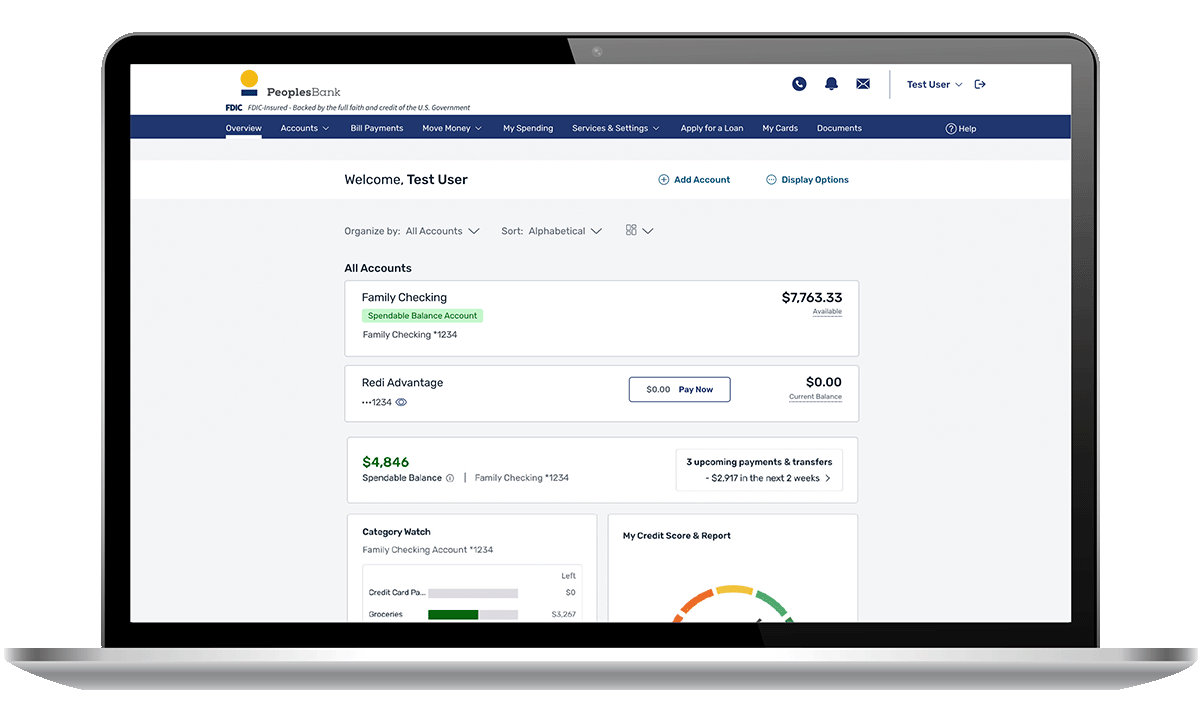
Laptop with new home screen preview

 
A More Account‑Focused Layout

Today, accounts and financial widgets appear side‑by‑side. With the new layout, customers with more than one account will see their accounts grouped together at the top of the page, making it easier to view balances and activity in one place.

Your accounts will continue to appear in the familiar Accounts area:

  • Checking, savings, loans, and credit lines
  • Recent and upcoming transactions
  • Retail customers will only see the available balance per account

 
Sidebar Widgets Move Below Your Accounts

Widgets that previously appeared along the right‑hand side of the screen are moving into a single vertical column below your account list.

You’ll now see this order:

  1. Accounts list (top of page)
  2. Spendable Balance
  3. My Credit Score
  4. My Spending

This stacked layout makes key information easier to find without scanning across the screen.

 
Favorites and Custom Views

You can now create multiple custom views to organize multiple accounts. If you previously starred accounts or used Favorites:

  • Your selections have been preserved
  • They are now available in a Custom View at the top of your accounts area
  • You do not need to recreate anything

This change supports more personalized ways to view your accounts as the new layout rolls out.
 
What’s Staying the Same

  • No changes to logging in
  • No changes to your account information
  • No changes to existing navigation menus or other screens

 
No Action Needed

The updated home screen will appear automatically when you log in on May 3rd.

What’s Changing in the Mobile App

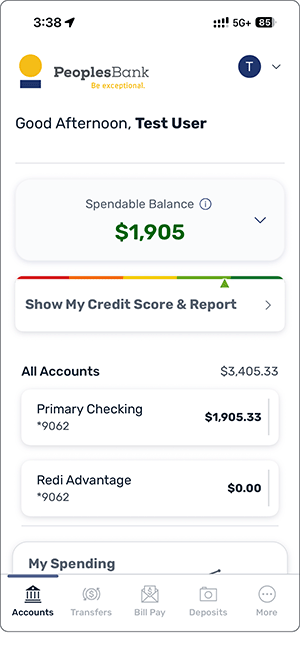
Mobile app home screen preview
The updated layout highlights accounts and key financial information in one place with a fresh clean look including quicker access to features like Spendable Balance and improved account interactions. There is no change to how you login or use mobile banking features.
 

App Updates & Security

On May 3rd, the updated home screen will appear automatically, a manual update is not required. However, we always recommend keeping your app updated to the latest version (7.1 or higher) to ensure the best performance, access to new features, and the highest level of security. Click here to learn more about our mobile banking and keeping your apps up-to-date.
